
Microsoft 365 Setup Essentials: Secure Your Business from Day One
If your business is moving to Microsoft 365 or already using it, you’re making a smart choice. Microsoft 365 is more than just email and Word—it’s a powerful suite designed to help businesses stay productive, secure, and compliant. But here’s the catch: a poorly configured Microsoft 365 environment can leave your business exposed to security risks and compliance headaches.
At Pacific IT Support, we’ve helped businesses across Washington, Maui, and beyond—construction firms, healthcare providers, real estate agencies, manufacturers, and nonprofits—get Microsoft 365 set up the right way. Here’s what you need to know.
What is Microsoft 365?
Microsoft 365 is a cloud-based platform that combines familiar tools like Outlook, Word, Excel, and Teams with advanced security and compliance features. It’s designed to help businesses collaborate seamlessly while keeping data safe.
Capabilities for Businesses
Microsoft 365 isn’t just about email—it’s a full productivity and security ecosystem. Here’s what makes it so valuable for businesses in industries like construction, healthcare, real estate, manufacturing, and nonprofits:
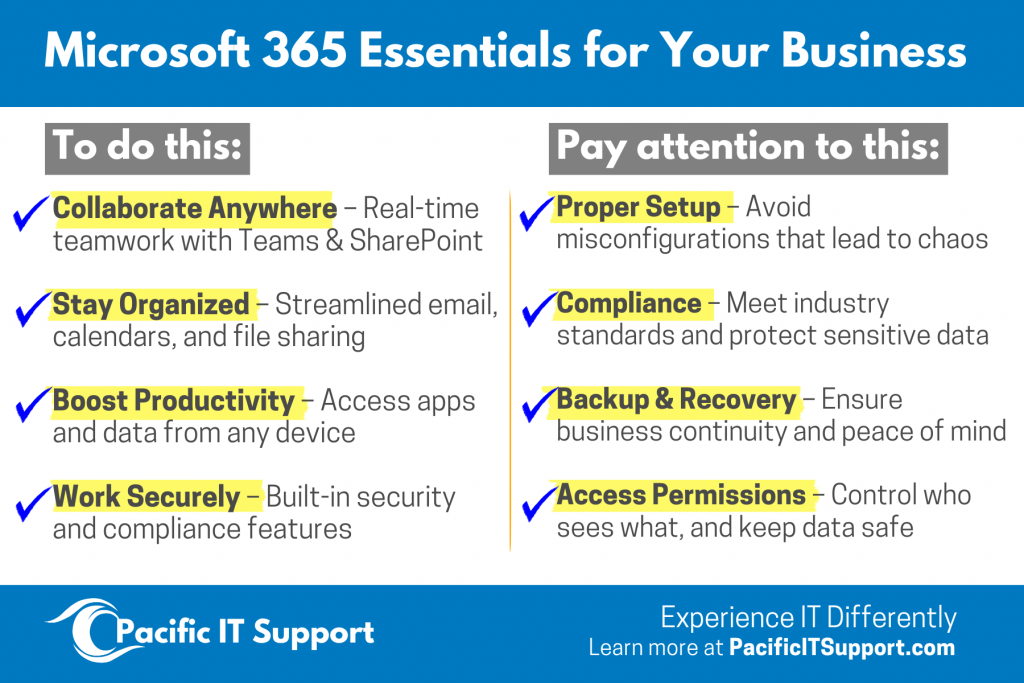
- Collaboration: Real-time document editing, Teams for chat and video meetings.
- Security: Built-in tools like MFA, encryption, and threat protection.
- Compliance: Policies to meet industry standards for healthcare, finance, and more.
- Scalability: Works for small businesses and large enterprises alike.
Why Proper Setup Matters
Many businesses assume Microsoft 365 is secure out of the box—but that’s not the case. Without proper configuration:
- Sensitive data can be exposed.
- Unauthorized access can occur.
- Compliance requirements may not be met.
A secure start saves you from costly breaches and downtime. Think of it as building a strong foundation for your IT environment.
Key Steps for a Secure Microsoft 365 Environment
Getting Microsoft 365 right means more than just turning it on. Here are the essentials every business should implement:
Enable Multi-Factor Authentication (MFA)
MFA blocks 99% of account compromise attempts. Make it mandatory for all users.
Set Role-Based Permissions
Avoid giving global admin rights to everyone. Use least-privilege access to reduce risk.
Apply Compliance Policies
Implement Data Loss Prevention (DLP) and retention policies to protect sensitive information and meet regulatory standards.
Regular Monitoring & Updates
Security isn’t “set and forget.” Continuous monitoring ensures your environment stays safe.
Migration to and from Microsoft 365
Thinking about moving to Microsoft 365—or switching from another platform? Migration is absolutely possible, but it needs to be done carefully to avoid data loss, downtime, or compliance issues.
A proper migration plan includes:
- Data Mapping: Ensuring all files, emails, and permissions transfer correctly.
- Security Checks: Making sure sensitive data stays protected during the move.
- Minimal Disruption: Keeping your team productive while the transition happens.
At Pacific IT Support, we specialize in smooth migrations for businesses in Washington, Maui, and beyond. Whether you’re coming from Google Workspace or another system, we’ll make the process stress-free.
How Pacific IT Support Can Help
We make IT simple and stress-free. Our team provides:
- Expert Microsoft 365 setup and migration for businesses.
- 24/7 support with fast response times.
- Clear communication and predictable pricing—no surprises.
- Industry-specific experience supporting construction, healthcare, real estate, HVAC, manufacturing, and nonprofits.
Whether you need a full IT partner or just a reliable backup, we’re here to help.
Ready to experience IT differently?