
Is Your IT Ready for 2026? Here’s Why It Matters

The new year is almost here—are your IT systems ready? Whether you’re in construction, real estate, non-profit, healthcare, education, accounting, finance, hospitality, or HVAC, one thing is universal: your business depends on technology that runs smoothly.
At Pacific IT Support, we believe IT should give you peace of mind, not headaches. A strong IT foundation means you can operate confidently and grow safely in 2026.
Why IT Readiness Matters for Every Industry
No matter your field, your business handles sensitive data—client information, financial records, compliance documents. If your IT isn’t secure, backed up, and optimized, you risk downtime, data loss, and costly breaches.
IT isn’t just support—it’s strategy. Reliable systems keep your team productive, protect your reputation, and allow you to scale without fear. That’s why investing in IT support for businesses, managed IT services, and cybersecurity for small businesses is critical.
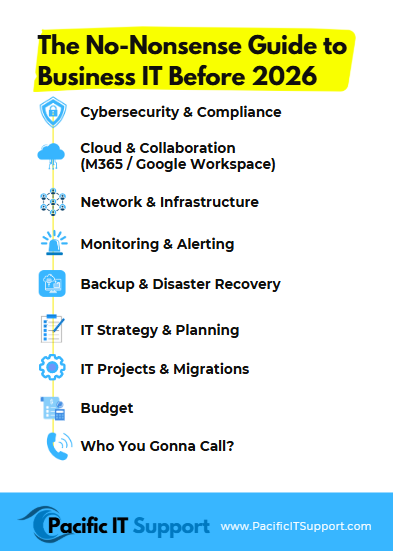
Grab your free copy of the: The No-Nonsense Guide to Business IT in 2026
Your 2026 IT Readiness Checklist
1. Security Check
Cyber threats don’t take holidays. Every business—whether in construction, healthcare, education, or hospitality—needs strong security measures. This includes firewalls, antivirus software, and multi-factor authentication (MFA) for all accounts. MFA adds an extra layer of protection beyond passwords, reducing the risk of unauthorized access.
Why it matters:
A single breach can lead to downtime, lost revenue, and damaged reputation. Investing in cybersecurity for small businesses is no longer optional—it’s essential.
2. Backup Verification
Data loss can happen anytime—hardware failure, accidental deletion, or ransomware attacks. Make sure your data backup and disaster recovery systems are current and tested. Backups should be automated, encrypted, and stored in multiple locations (including the cloud).
Why it matters:
Quick recovery means minimal disruption. Without a tested backup plan, your business could face days—or weeks—of downtime.
3. System Updates
Outdated software is a hacker’s best friend. Apply all critical updates to operating systems, applications, and security tools. This includes patching vulnerabilities and upgrading legacy systems that no longer receive support.
Why it matters:
Regular updates keep your systems optimized and secure, reducing the risk of exploits.
4. Network Health Check
Your network is the backbone of your business. Ensure routers, switches, and Wi-Fi access points are configured securely and monitored for performance. Consider managed IT services for proactive monitoring and maintenance.
Why it matters:
A healthy network means smooth operations, fewer outages, and better productivity.
5. BYOD & Remote Work Security
If employees use personal devices for work, implement a Bring Your Own Device (BYOD) policy with clear security requirements. This includes antivirus protection, encryption, and secure VPN access.
Why it matters:
Personal devices often handle sensitive business data. Without proper controls, they can become an entry point for cyber threats.
Why Partner with Pacific IT Support?
We’re more than an IT provider—we’re your IT partner for growth. Our team specializes in:
- Managed IT services for small and mid-sized businesses
- Cybersecurity solutions to keep your data safe
- Cloud and backup management for peace of mind
- Proactive monitoring and maintenance so you can focus on your business
With Pacific IT Support, you get a team that understands your industry and delivers solutions tailored to your needs. Ready to experience IT differently?
Connect with Pacific IT Support
Image credit: Rani26 / Pixabay