
Phishing and Email Fraud: A Growing Risk for Businesses
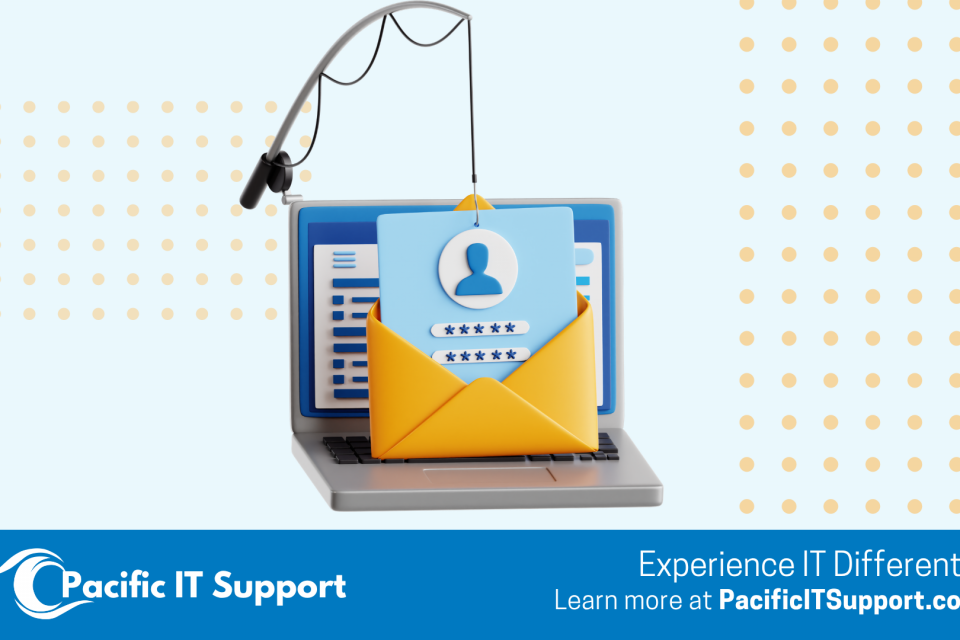
Phishing attacks are not new, but the way they show up today looks very different from what many businesses still expect.
Modern phishing is no longer about obvious spam emails filled with spelling errors or unbelievable promises. Today’s attacks are polished, targeted, and designed to blend seamlessly into normal business communication. They often look like Microsoft notifications, shared documents, invoices, payment requests, or emails that appear to come from someone you already know.
This shift is exactly why phishing remains one of the most successful and damaging cyber threats facing businesses today, even those with basic security tools in place.
How Phishing Has Evolved
Early phishing attempts relied on volume and obvious deception. The well known “foreign prince” emails promised unexpected money in exchange for help and were easy to spot for most people.
Today’s phishing attacks are far more strategic. Attackers study organizations, vendors, and workflows. They mimic trusted platforms like Microsoft 365, Google Workspace, DocuSign, and QuickBooks. In many cases, they first compromise a legitimate email account and then use that trusted account to send messages internally or externally.
Because these emails come from real accounts or closely impersonated ones, they often bypass basic spam filters and land directly in inboxes.
According to the FBI Internet Crime Complaint Center, business email compromise and phishing remain the most financially damaging cybercrime categories year after year.
Read also: How to Spot and Report Phishing Emails
The Rise of Payment and Invoice‑Based Phishing
One of the most dangerous evolutions of phishing involves payment and invoice requests.
These attacks no longer ask recipients to click random links or download obvious attachments. Instead, they look like legitimate business transactions. An email may request a wire transfer, a payment update, or confirmation of new banking details. Often, the message fits perfectly into an existing conversation.
In many cases, attackers gain access to an internal email account and quietly monitor communication. They wait for the right moment, such as when an invoice is expected or a project payment is being discussed. Then they insert a fraudulent message using the compromised account or a nearly identical email address.
Because the email appears to come from a trusted sender and matches the business context, recipients are far more likely to act quickly without questioning it.
The FBI reports that invoice fraud and payment diversion attacks account for billions of dollars in losses, largely because payments are sent before the fraud is detected.
Read also: Securing Company Laptops for Employees Working From Home
The Risk Does Not Stop With Your Company
One of the most overlooked aspects of phishing is what happens after an account is compromised.
When attackers control an email account inside your organization, they often target your customers, vendors, and partners next. Payment requests, invoice changes, or shared documents are sent from your trusted domain. Recipients trust the message because they recognize you as the sender.
At that point, phishing becomes a reputational issue as much as a technical one. Clients may suffer financial loss simply because they trusted your email. Even if your internal systems are secured quickly, repairing trust with customers and partners can take much longer.
The U.S. Cybersecurity and Infrastructure Security Agency warns that compromised trusted senders significantly increase the success of phishing campaigns.
Read also: Endpoint Security Is a Business Issue
Why Basic Email Protection Is No Longer Enough
Many businesses assume that using Microsoft 365 or Google Workspace automatically means they are protected from phishing.
While these platforms provide baseline security, phishing today relies on user behavior, trust, and timing rather than obvious technical exploits. Multi factor authentication helps reduce risk, but it does not stop users from clicking links, approving prompts, or responding to convincing messages.
Microsoft has publicly acknowledged that identity‑based attacks such as phishing are now the primary threat vector for cloud email users.
Without visibility into attempted attacks, unusual login behavior, or suspicious email activity, many businesses do not realize there is a problem until damage has already occurred.
Read also: Managed IT Services in Whatcom County: A Practical Guide for Local Businesses in 2026
Read also: IT Support in Maui: What Local Businesses Really Need
Practical Steps Businesses Can Take to Reduce Phishing Risk
Reducing phishing risk requires more than a single tool.
Strong email filtering is important, but it must be combined with ongoing user awareness, not one‑time training. Employees need to understand how modern phishing looks and when to pause and verify requests, especially when payments or sensitive information are involved.
Clear internal processes also matter. Payment changes, invoice updates, and banking information should always be verified through a second channel. Monitoring for unusual account behavior, such as unexpected forwarding rules or logins from unfamiliar locations, helps catch compromises early.
Most importantly, businesses need a clear response plan so suspicious activity is addressed quickly and consistently.
Read also: What to Check Every Quarter to Keep Your IT Running Smoothly
How Pacific IT Support Helps Businesses Stay Protected
At Pacific IT Support, we help businesses across Whatcom County, Bellingham, Ferndale, Lynden, and Maui reduce phishing risk through a layered, practical security approach.
We support organizations by securing Microsoft 365 and Google Workspace environments, implementing stronger email protection, monitoring for suspicious activity, and responding quickly when issues arise. We also help teams establish clear workflows around payments and verification so a single email is never enough to trigger a financial action.
Whether we are working alongside internal IT teams through co‑managed IT support or providing fully managed IT services, our focus is helping businesses stay protected without adding unnecessary complexity.
The Takeaway
Phishing attacks are not slowing down. They are becoming more convincing, more targeted, and more damaging when left unchecked.
If you are unsure how exposed your business might be, or how quickly you could respond to a compromised account, it may be worth taking a closer look at your current setup.
At Pacific IT Support, we help businesses understand where their risks are today and what practical steps make sense next.
Connect with Pacific IT Support